
Your own GPU, your coding agents
Run a local AI model on your own computer and connect your coding agent to it, from one menu. Private, no per-token cost, tuned to your hardware.
Why Hearthwork
Private
The model runs on your own GPU and RAM. Your code and prompts stay on your computer.
No per-token cost
Once the model is downloaded, using it costs electricity, not an API bill.
Works with the agents you already use
Claude Code, Codex, OpenCode, Qwen Code and Aider, each started with one command.
Supported agents
Hearthwork connects each one to your local model without touching its own settings.
How it works
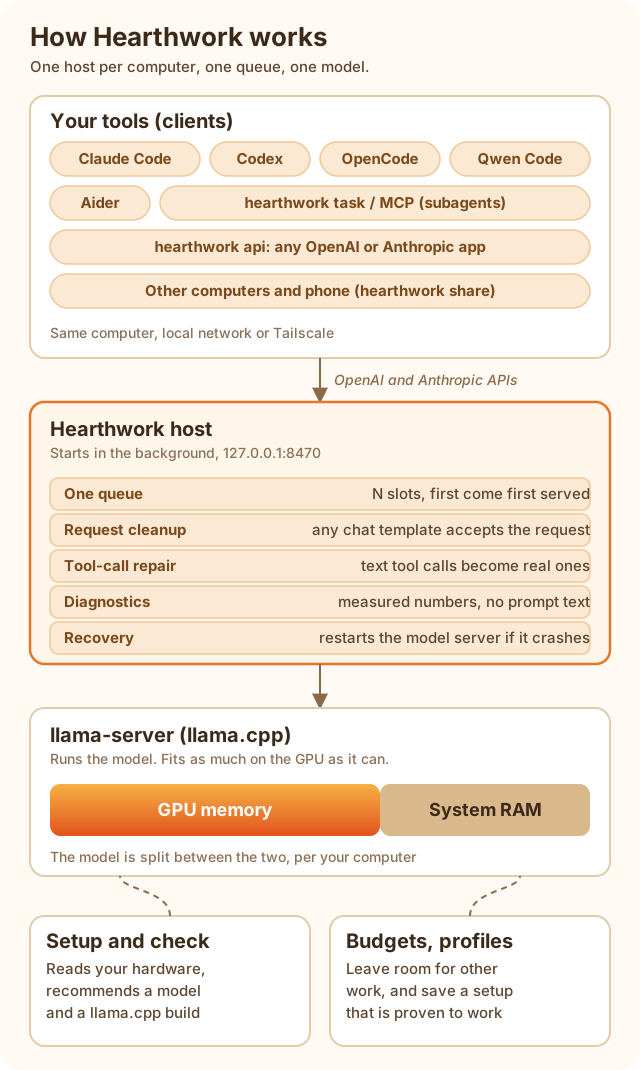
One host per computer owns the model and a single queue. Everything goes through a relay that cleans up requests and repairs tool calls.
Use it anywhere
Run the model on the computer with the GPU and use it from your laptop, at home or away.
Share on your network
Pair another computer with a 6-digit PIN. It needs no model and no setup. Learn more
Tailscale
Reach your model from anywhere over an encrypted private network. Learn more
Mobile app
In development, Android first. Learn more
Everything you need around the model
Model check from your PC
Reads your hardware and tells you honestly whether a local model is worth it, and which ones fit.
Doctor
Tests the server, the API and your agent step by step and says which layer is at fault.
Diagnose
Explains what slowed or broke your sessions, using numbers measured on your own requests.
Budgets and presets
Leave room for gaming or work: cap VRAM, slots and threads, or unload when idle.
Setup profiles
Save a setup that works, with proof, then re-check, export or restore it.
Automatic recovery
If the model server crashes, the host restarts it and tells clients clearly if it cannot.
API mode
One local endpoint that speaks both the OpenAI and the Anthropic API, for any other tool.
Subagents and MCP
Let another agent hand small coding tasks to your local model.
Quick start
uvx hearthwork check # is this computer suited, and which models fit? (installs nothing)uv tool install hearthwork # install (or: pipx install hearthwork)hearthwork model unsloth/Qwen3-Coder-30B-A3B-Instruct-GGUF # download a model that fitscd my-projecthearthwork claude # run an agent on the local model (also: codex, opencode, qwen, aider)The first run sets things up for you: hardware check, llama.cpp and a models folder. Start here
See it run
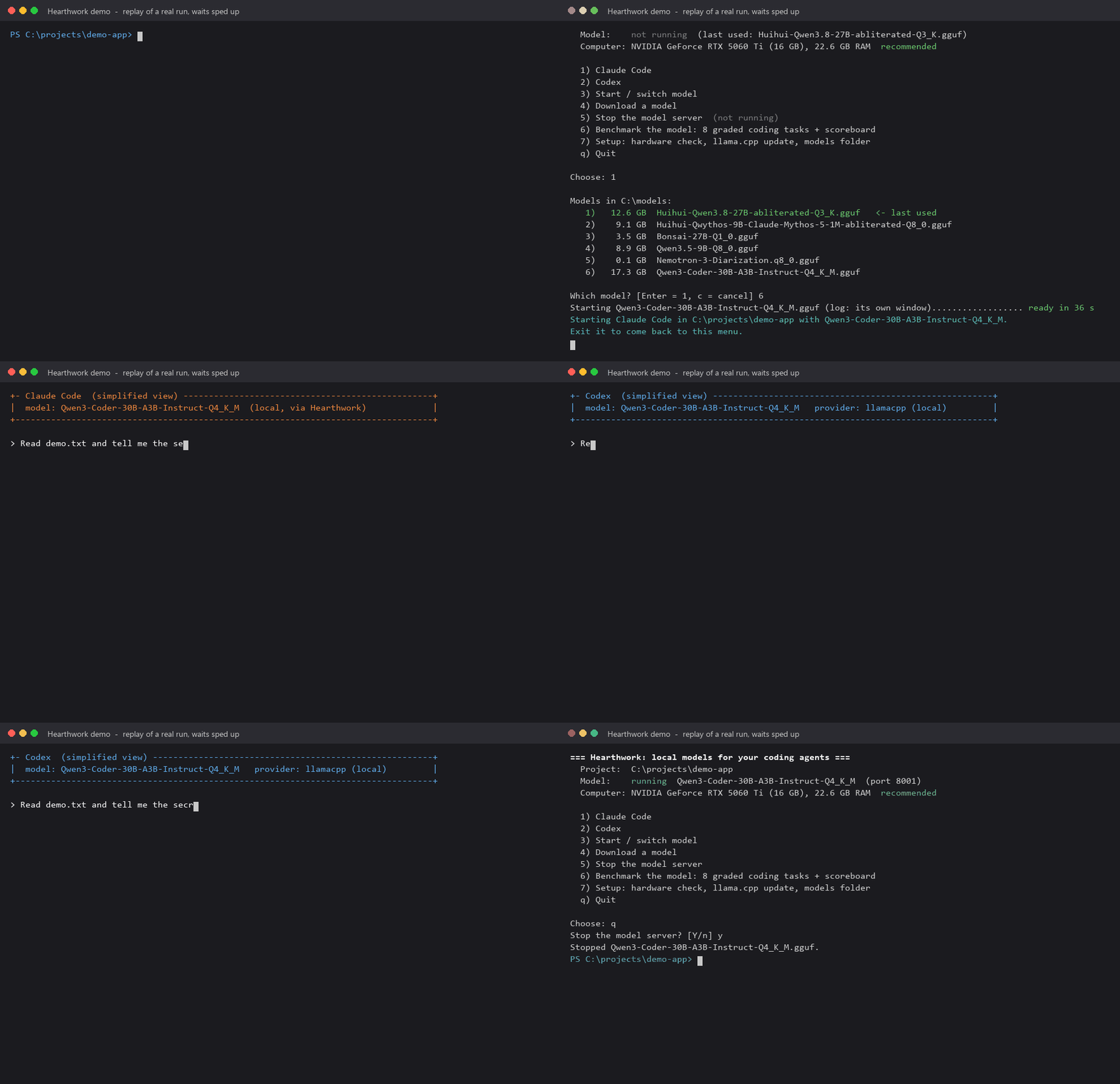
A replay of a real run. Waits are sped up, the agent screens are simplified, and paths are shortened.